
1 Speed Keyboard Lucky Escape
New Recommended Games





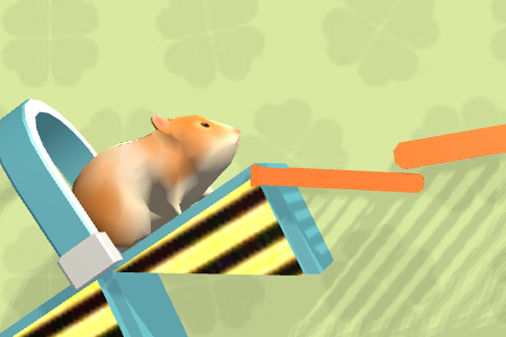


+1 Speed Keyboard Lucky Escape: A Guide for Game Enthusiasts
1 Speed Keyboard Lucky Escape is an intense, fast-moving arcade experience that combines fortune, quick choices, gathering, and endurance within an unusual environment: a massive typewriter-style keyboard. At its core, players must discharge a rocket launcher, sending a container dubbed the "Lucky Block" hurtling across the keys. The greater the distance achieved, the more valuable the "Brainrot" trophy becomes available. Yet reaching far is not without peril. Each worthwhile find triggers a much graver threat: the infamous Tung Tung Sahur, a relentless pursuer whose velocity and hostility escalate whenever players venture into superior Brainrot tiers.
.
The game's rules are easy to grasp, yet it delivers a gripping gamble between risk and reward. Participants must weigh avarice against caution, deciding whether to chase distant, uncommon prizes that offer huge payoffs while accepting the severe challenge of returning to the Safe Zone. Featuring 93 Brainrot collectibles, multiple rarity levels, an upgrade-based economy, and a same-screen multiplayer option, the title rewards repeated sessions and thoughtful planning without bogging down in complexity. Whether tackling it solo or alongside a companion on one keyboard, the tension remains relentless, and the keyboard-inspired setting ensures every action feels exact and meaningful.
The core loop is straightforward: fire a Lucky Block, secure a coveted Brainrot, race back to the Safe Zone, then invest earnings into enhancing your abilities. In practice, this becomes a frantic sprint through a surreal electronic landscape. Tung Tung Sahur's speed adjusts according to the rarity of the reward, forcing players to continuously modify their paths, collect speed boosts, and time their movements to endure.
1 Speed Keyboard Lucky Escape may appear to be a simple pursuit game, but it offers a lifestyle that appeals to collectors and upgrade enthusiasts alike.
93 Brainrot Collectibles – An extensive lineup of quirky, meme-inspired trophies. With fresh targets constantly available, players are motivated to keep attempting runs and complete their assortment.
Layered Rarity Framework – How far you go determines what appears. Legendary, Mythic, Brainrot God, Keep, and an elusive hidden 67 Class await those who push farthest. Every rarity level alters the way Tung Tung Sahur pursues the player.
Exclusive 67 Class Content – This rarity is a unique, nearly concealed tier, reachable only in a distinct area near the keyboard's far end. It contains seven exclusive Brainrots, and the pursuit mechanic differs: the colossal Flocked G.67 herself stalks you rather than the standard chaser.
Base Building and Economic Growth – Animals generate passive income over time; those funds allow you to expand your base, construct additional floors, raise the worth of Brainrots, and offload duplicate items. A more developed base changes how many resources you can bring into dangerous encounters.
Range Market Enhancements – Once coins and Tickets are earned, you can boost the bazooka's launch strength in a specialized in-game shop. This range stat serves as the gateway to the highest-level regions.
Tickets and VIP Utilities – Tickets function as a premium currency, granting access to additional weapon slots, unlocking advanced equipment, and even enabling a cunning player to abduct characters from someone else's base.
Bonus-Amplifying Events – Periodic live events, including Double Distance, Ticket Event, and Double Speed, greatly multiply the rewards from every run.
Local Two-Player Mode – Two people can play simultaneously on one keyboard. This delivers a superb split-screen-style experience, naturally fostering both collaboration and rivalry.
Regardless of platform, the heart of the experience remains its tension-filled loop: pushing deeper into riskier rarity tiers, grabbing what you can, then executing another high-stakes escape.
The entire design centers on weighing risk against reward, making greed management a crucial ability. A beginner might fire the Lucky Block at maximum distance, secure a rare Brainrot, only to find themselves stranded far from the Safe Zone as Tung Tung Sahur accelerates to"Fast" or"Very Fast." Learn to recognize distance breakpoints and resist the urge to always push for maximum range.
The most critical tip is to prioritize Speed boosts. Avoid simply running in a straight line; deliberately collect the +1 Speed pickups scattered across the keyboard. Because each pickup can be upgraded from +1 to +10, invest in that enhancement early. A fully upgraded Speed meter can compensate for sluggish starts or bridge the final stretch to the Safe Zone. Using a manual burst while still far from safety may exhaust your acceleration before the most perilous segment of the escape.
Regarding progression, investing coins in the Range Market is a sound choice. Greater range leads to superior Brainrot tiers and generally higher earnings, but don't neglect items and base improvements. Establish a solid, steady-income base before venturing into the highest-grade areas. Also, avoid spending Tickets immediately; the extra weapon and the "steal character" ability purchased with Tickets can prove pivotal during the mid-game. Take full advantage of Ticket Events to stockpile this currency whenever possible.
If you are approaching the 67 Class zone, prepare in advance. The massive"67" entity that takes over from Tung Tung Sahur during this unique pursuit behaves differently and can outmaneuver you more dangerously. In two-player mode, particularly on a shared keyboard, synchronize who will launch and who will run. The keyboard's physical layout can get cramped; player two must remember that the U key controls both launching and upgrading, so an accidental tap could cause an unwanted move during these critical instants.
Finally, be cautious when playing on mobile, as the visible area differs greatly. On a phone, landscape orientation is mandatory, and only Single Player Mode is available. Though it may appear casual, the game demands a clear view of the route ahead, and high-intensity Danger Zone dashes require proper, unobstructed visibility. Taking a break, using a clean, responsive keyboard, and deciding beforehand which rarity tier you intend to target are the most professional ways to begin. 1 Speed Keyboard Lucky Escape thrives on a balanced appetite for risk combined with a surprisingly exact approach.
A: It is an intense, quick-moving game that blends collecting Brainrots, escaping danger, luck-based mechanics, upgrades, and survival elements. Using a bazooka, you fire Lucky Blocks, uncover Brainrots, and flee from Tung Tung Sahur toward the Safe Zone.
A: Your primary objective is to launch Lucky Blocks to the greatest possible distance. The further a block travels, the higher-quality Brainrot you can obtain. But increased distance brings increased risk: Tung Tung Sahur accelerates as you advance to higher Brainrot classes.
A: There are 93 unique Brainrots that you can gather.
A: Collected Brainrots allow you to construct and grow your base, enhance your characters, boost your launch distance, raise the worth of +1 Speed pickups, unlock additional weapons, join limited-time events, and even take characters away from enemy bases. Additionally, you can improve Brainrots you already own to raise their value, or trade in duplicate copies for money.
A: Tung Tung Sahur serves as the adversary who pursues you as you head back to the Safe Zone. Its speed increases as you climb to higher Brainrot classes, which makes the escape considerably harder.
A: To secure top-tier Brainrots—such as Legendary, Mythic, Brainrot God, Secret, or 67 Class—your Lucky Block must travel farther along the keyboard. You will need to invest coins and tickets at the Range Market to increase your bazooka's launch strength.
A: Your best option is to collect speed pickups placed throughout the keyboard. Additionally, you can go to the market and raise your base pickup value from +1 up to +10 Speed, which lets your speed meter charge at a much quicker rate.
A: For Player 1, the controls are as follows: Move using W, A, S, D; Jump with Space; Speed Up with Shift; Launch Lucky Brainrot using TAB or E; Interact with E; Upgrade Brainrot with Q; and Open Rebirth Menu with T.
A: For Player 2, the controls are: Move with Arrow Keys, Jump with L, Speed Up with K, Launch Lucky Brainrot with U, Interact with O, Upgrade Brainrot with U, and Open Rebirth Menu.
In 1 Speed Keyboard Lucky Escape, the core gameplay loop revolves around four primary pillars: launching, gathering, fleeing, and enhancing. Initially, players employ a bazooka to shoot a Lucky Block horizontally across the keyboard surface. The distance this block covers prior to halting determines how elevated a rarity tier it enters. These far-off areas hold rarer Brainrots—including Legendary, Mythic, Brainrot God, and Secret variants—yet they demand a considerably more difficult getaway. Once the Block comes to rest, the player instantly has to sprint across the keyboard toward the Safe Zone, with Tung Tun Sahur pursuing from behind.
Outrunning the chaser depends heavily on speed enhancements. Scattered throughout the path are these "+1 Speed" power-ups; grabbing them charges a speed meter. A fuller meter reduces the delay before the player can burst forward. This introduces a subtle tactical dimension:the fleeing player must deviate slightly from an otherwise predictable trajectory to snatch speed boosts, all while avoiding dead ends. Furthermore, in the shop, players may enhance base pickups from +1 all the way to +10, rendering every Speed pickup considerably more worthwhile.
The controls for movement are simple, particularly for a title that treats a computer keyboard asthe playing field. For Player 1, W/A/S/D handle movement, Space executes jumps, Shift activates the speed boost, and Tab or E launches the Lucky Block. Additionally, E serves as the interact button, Q levels up Brainrots, and T brings up the Rebirth menu. Player 2, by contrast, uses the arrow keys for movement, L for jumping, K for speed boosts, U for launching or upgrading actions, O for interacting,and T for accessing the Rebirth menu. On desktop, the game truly shines in two-player local co-op sharing a single keyboard, where one player's daredevil approach can contrast sharply with the other's more cautious, guarding style. Mobile controls are available as well, though exclusively for single-player sessions. This version relies on a virtual joystick for movement, along with on-screen buttons for jumping and executing actions; landscape mode is clearly the intended orientation.